
All About Lisa Woodruff
Discovering Organize 365: From Chaos to Purposeful Living
Welcome to Organize 365. I’m so glad you found me!
I am one of those crazy-productive, ultra-organized people you love to hate. Yep, I was born that way.
But I was also born with an analytical mind and a heart to teach and lead others. As I approached my 40th birthday in January 2012, my life was the most UN-organized, UN-productive, and UN-planned as it had ever been. I couldn’t find a thing in my house, and my family finances and family members’ health were all spiraling out of control.
I did what any sane person would do… I quit my job. OK, maybe not so SANE.
Everything was falling apart anyway. And I couldn’t control anything around me. Except my space. And it was a HOT mess!
On January 1, 2012, I had 3 priorities:
#1. Put my kids and husband first and make sure their needs were met no matter what.
#2. Get this house back in order so we could function again and stop sliding backward.
#3. Figure out what my next job would be. But this time I wanted my job to be my passion…a life long pursuit…a way to help others. And I had NO idea what that would be.
A Deeper Dive into Organization and Empowerment
In March 2012, I turned 40 and my organizational rampage was yielding results.
My home was close to being manageable again thanks to a 40 day plan I had put in place and I was blogging about it.
I had figured out that organizing was going to be my “new job,” and I was blogging and selling organizational products for a home party company.
I loved sharing my organizing ideas, but cringed when people bought more and more organizers yet didn’t “get organized” with them. I have no problem selling products as long as people get results. No results = more clutter and more debt.
My home parties were crazy big… 22, 23, 25 people at a home party. Finally, I pulled one of my hostesses aside and said, “Why are all these people here?! You can buy organization containers anywhere.”
And what she said changed my life forever…
“Lisa, everyone wants to know what a professional organizer has to say.”
DUH.
The Journey of a Professional Organizer
I was a professional organizer and I didn’t even know it! My mind began flooding with memories of past jobs, careers, volunteer experiences…everything. In every situation, I was successful because I either WAS organized or I was able to help someone else become organized.
On April 1, 2012, I formally launched my Cincinnati-based, in-home professional organization services helping hundreds of women (and a few men) in the Cincinnati area get organized.
In January 2018 my lead organizer Carol took over all the physical in-home organizing in Cincinnati.
Inspiring Homeowners to Get Organized
The odds of all my readers living in Cincinnati, Ohio are pretty slim. And from the beginning, I wanted to create an online resource for homeowners everywhere to get organized.
So as I helped clients in Cincinnati, I was mentally taking notes and trying to figure out how to inspire people around the world to get organized. I had to think beyond a certain container for my readers outside of the USA.
Blogging allowed me to continually refine my message and helped me realize what I liked to organize the most. The first clear area that I tackled was paper.
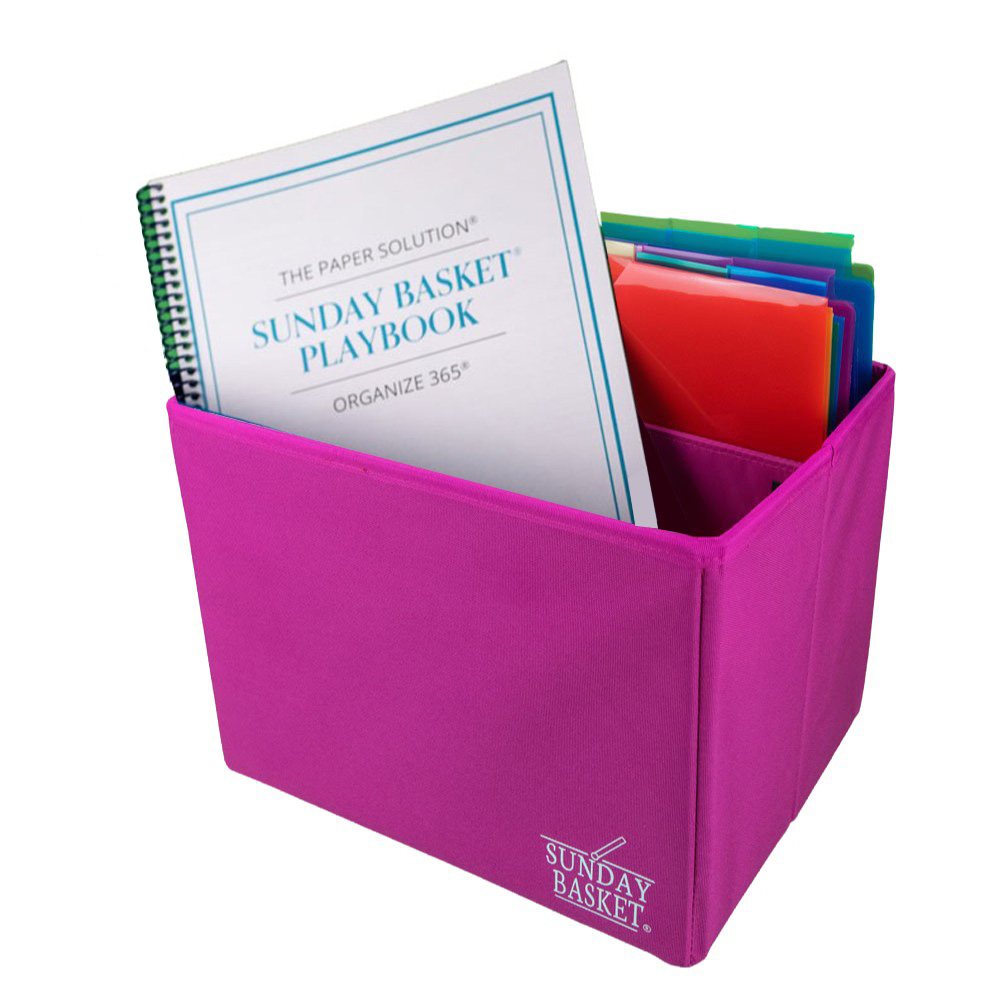
When I was 30 years old, Greg and I adopted 2 babies in 18 months. It was then that I created my first organizational system, called the Sunday Basket to help organize all my family papers.
After successfully using that system for 10 years, I knew I could share that and help others.
You can learn all about the Sunday Basket here. Or try the Free 5-Day Mini Course here.
Over the last 12 years, I have refined how I can help you get organized in your home like I have in mine. The Productive Home Solution does just that. If you want to know how a professional organizer would organize your house step-by-step, The Productive Home Solution is your answer.
My house was finally organized
Now, by no means does that mean I am done organizing. But there are a few things that happen after you organize the same space 3 different times:
#1 You stop looking for things. Yep, you know where your stuff is.
#2 You have empty spaces and you like it. There is room for more to come in your house, but your house can breathe. It has space.
#3 You FEEL organized. Life still gets crazy, but your space isn’t an additional stress. It can actually be a haven.
Empowering Your Organizational Journey
By the fall of 2014, I knew I could help people get organized through an online program and started the Organize 365 podcast.
I wanted a way to expand on the blog posts I had written and really dive deep into how and why we get disorganized. The podcast medium is my favorite way to tell stories, provide motivation and encouragement to you as you are going through your own organizational journey.
I want you to know it is OK to let go of your parent’s things, how to save your ex’s memories for their children, and that it is OK that you were not “born organized.”
It grieves me that so many women feel defeated in something that brings me so much joy.
I love organizing and helping others get organized more than I like actually being organized. Once a space is organized, I am bored.
I am a functional organizer. I rarely get to the Pinterest level of organization because I want it to work more than I want it to be pretty. And once it works, I am off to the next organizational challenge.
The reason you are not organized is probably not because you don’t have the right containers. You are dealing with a traumatic life event, a stage in life with NO extra time, or a physical condition that has you down.
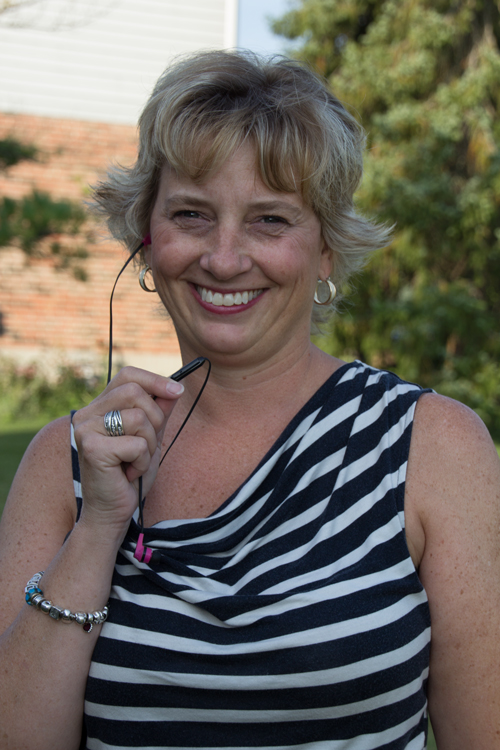
I started sharing about …
That was it. I had been trying to share quick tips, cute solutions, and programs – but organization is all about changing your MIND first.
I knew the Organize 365 podcast would be powerful because other podcasts had the power to change my mindset. But I had NO idea HOW powerful.
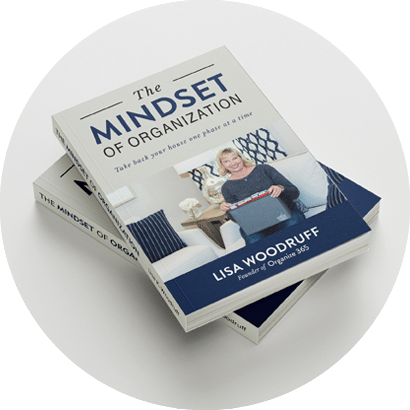
In August 2016, I published the Amazon #1 Best Seller The Mindset of Organization – Take Back Your House One Phase at a Time.
I followed that in June 2017 with my second Amazon #1 Best Seller How ADHD Affects Home Organization – Understanding the 8 Key Executive Functions of the Mind.
Organize 365 is an ever-changing and growing body of work that I am passionately pursuing with all my heart to help you live a more organized life.
And the BEST part?… Once you get organized, your time will be unlocked for what YOU are uniquely created to do. How cool is that?!
Thank you so much for joining me on this journey! I can’t wait to connect with you!